A closed visual feedback loop.
The assistant sees its own output and corrects it. Declarative tools render at the end, into a black box, with nothing to nudge.
Shapes, connectors and labels on a fixed page, stored as SVG, exported to PNG or PDF — built by describing them, in a desktop app or right inside Claude Code.
One-time fee. No subscription. Runs on your machine, with your own Anthropic API key.
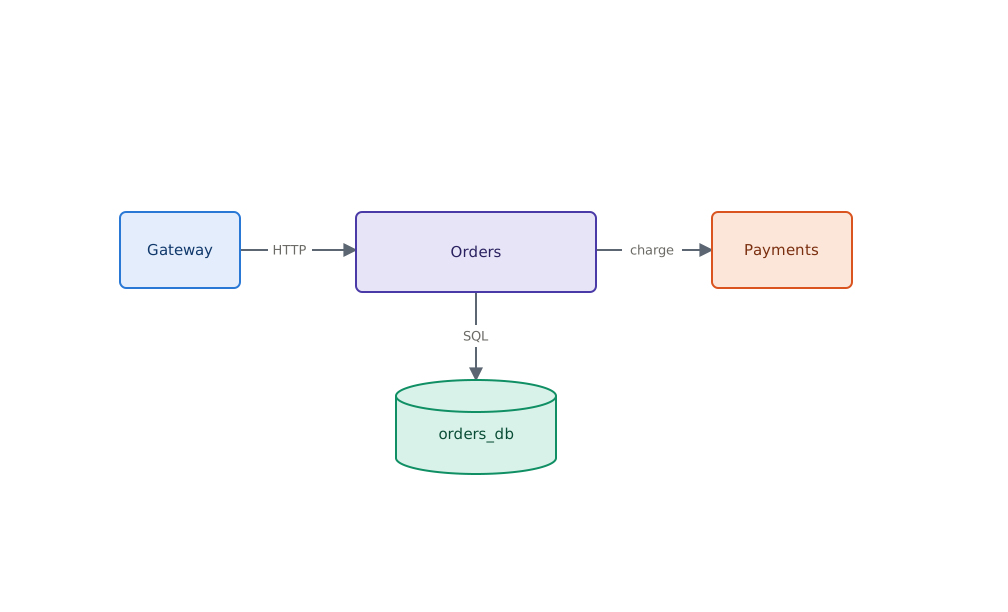
render hands back a PNG. An assistant sees that a label overflows or an arrow crosses a
box, and issues a correcting edit. Declarative tools offer no addressable object to nudge
and no way to look at the result.
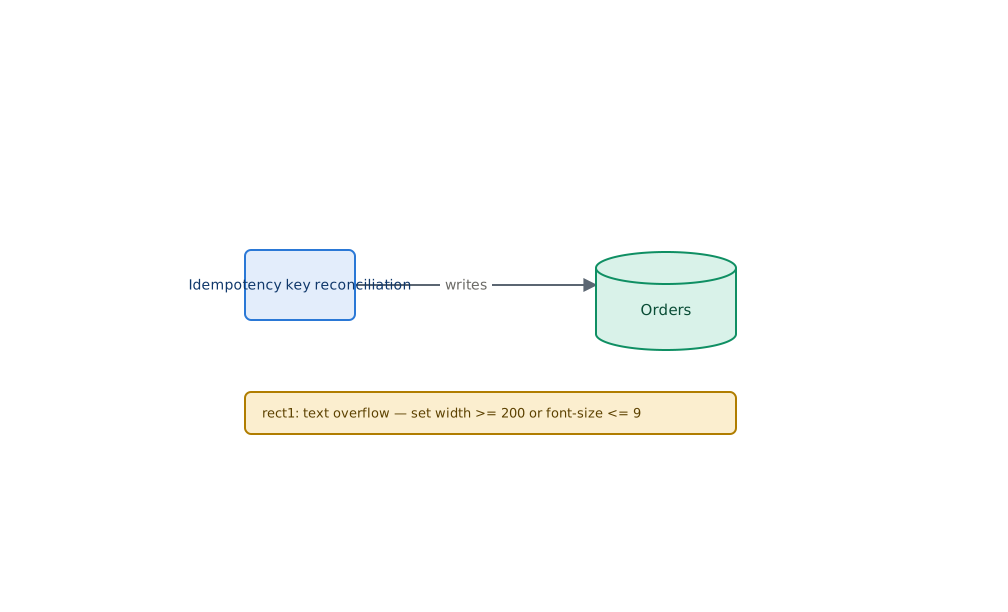
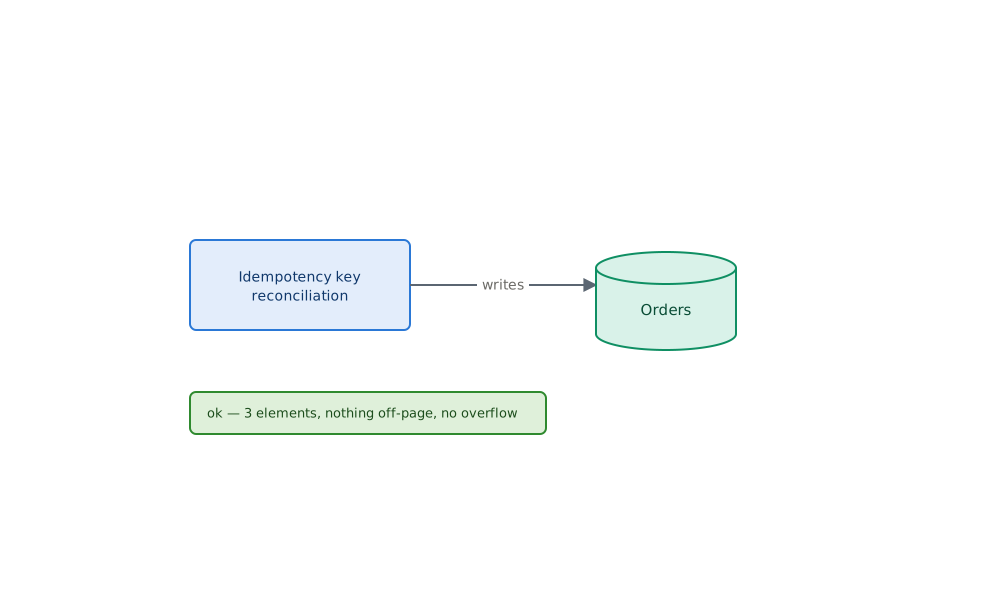
There is no human in that loop.
Those are better tools for a plain hierarchical DAG, and an assistant writes them more fluently than it will ever write a bespoke API. This exists for three things they structurally cannot do.
The assistant sees its own output and corrects it. Declarative tools render at the end, into a black box, with nothing to nudge.
Every declarative tool sizes the canvas to its content. This one owns the page — 1008 x 612 points, always — and reports anything that runs off it.
If slide 7 is slide 6 plus one box, you get literally slide 6's geometry plus one box, not a re-layout that reshuffles everything.
Polar takes the payment and emails you a licence key and the installer link.
Your licence key, and your own Anthropic API key. The second one is stored in your OS keychain and is billed to you by Anthropic, not by us.
Type it in the desktop app, or ask for it in Claude Code. The assistant builds it, renders it, looks at the result, and fixes what it got wrong.
Your key, your account, your rate limits. There is no per-diagram markup, because there is nothing of ours between you and the model.
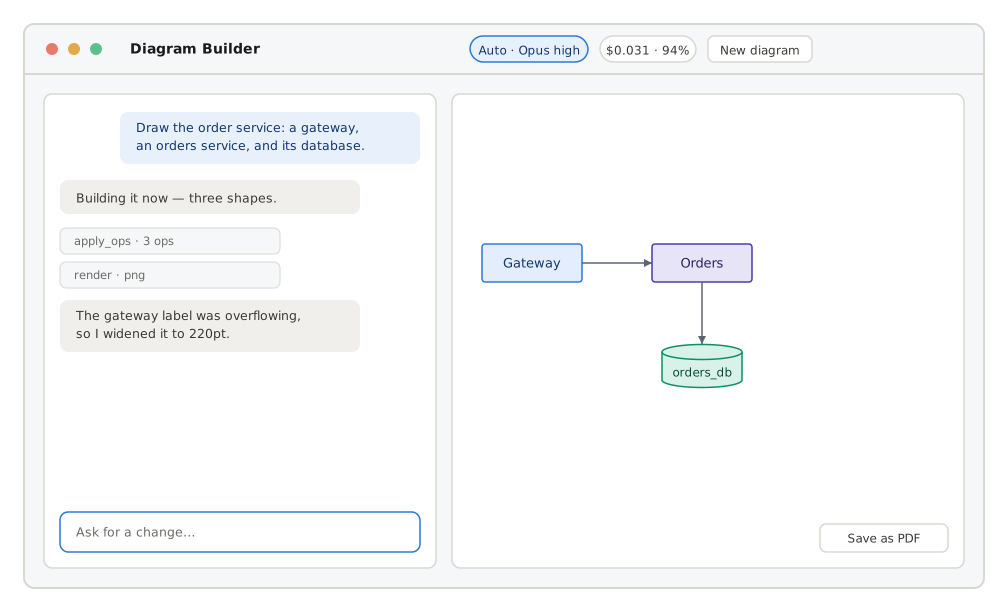
You talk to Claude in one pane and the diagram appears in the other, updating after every operation, with SVG, PDF and PNG export and a live token-and-cost meter.
Auto picks a model and an effort level per message, so a first diagram gets the strong model and "make that box blue" does not. Plan gates structural changes on a plan you approve first.
Ten tools, driven from Claude Code or any MCP client. --allow-dir is repeatable and
confines every path the server will touch.
apply_ops is the one that matters — it builds a whole diagram in a single atomic call,
with later operations naming elements earlier ones created. Either every op lands or none
does, so a failure never leaves half a diagram behind.
claude mcp add diagram-builder --scope user -- \
diagram-builder mcp --allow-dir ~/courses.svg is both the deliverable and the database — the scene graph lives in the file's metadata block.--right-of a computes an absolute position; there is no constraint solver to debug.set width >= 200 or font-size <= 9.No subscription, no seats-per-month, no per-diagram fee. You bring your own Anthropic API key, so the only recurring cost is the one you already have with Anthropic.
$49 once
One person, as many machines as you use.
1 seat
Available soon — we are finishing payment setup.
$199 once
Five people, one invoice.
5 seats
Available soon — we are finishing payment setup.
One-time payment, not a subscription. Prices are in USD, plus VAT or sales tax where applicable. You will need your own Anthropic API key, which Anthropic bills you for separately. Your licence key and download link arrive by email immediately after payment.
No. You pay once and the licence is perpetual. It includes twelve months of updates; after that the version you have keeps working forever, you just stop getting new ones unless you buy again.
Yes, and you supply your own. It is stored in your operating system's keychain and used directly from your machine. Anthropic bills you for the usage. That is the reason there is no per-diagram fee here — there is nothing of ours sitting between you and the model to charge for.
Nowhere. They are ordinary .svg files in a folder you choose. You can open them in
Inkscape, commit them to git, or delete them. Nothing is uploaded to us, because there is no
"us" in the data path — the site you are reading has no database at all.
They are two front ends onto the same engine, and you get both. The desktop app is a chat window beside a live preview. The MCP server plugs into Claude Code or any other MCP client, so you can ask for a diagram in the middle of doing something else. The desktop app actually drives the MCP server as a child process, which is what stops the two halves drifting apart.
macOS (Apple Silicon and Intel), Windows, and Linux.
Yes. A seat is a person, not a device. Install it on your laptop and your desktop; just do not share the key with a colleague — buy the Team tier for that.
Ask for a refund within 14 days and you will get one. See the refund policy.
Polar, acting as merchant of record. They handle payment, VAT and sales tax, and the invoice, and they are who appears on your card statement. Cloud Contraptions LLC makes the software.
A perpetual licence with twelve months of updates. If you stop paying attention after that, the version you have keeps working.